
How to Connect to Apple CarPlay® or Android Auto™
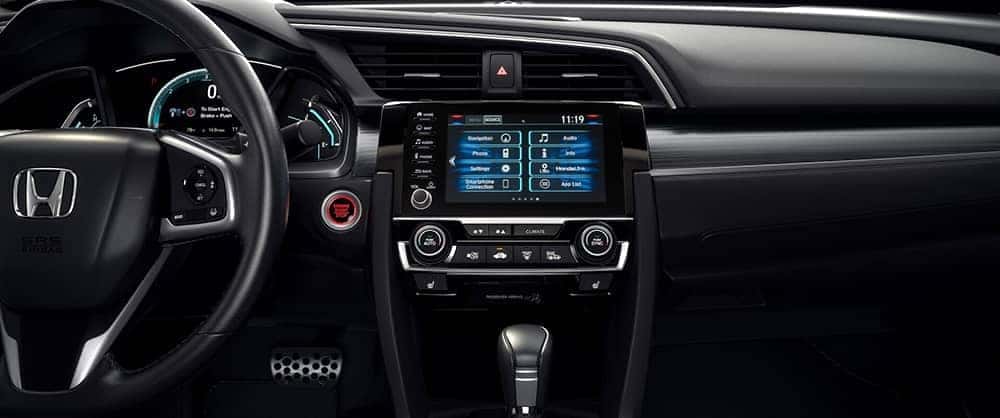
Just about every vehicle in the new Honda lineup is available with Apple CarPlay® and Android Auto™, and one of the questions we most often hear from Inglewood-area drivers is: “How do I connect to Apple CarPlay® and Android Auto?” It’s really very simple to connect your smartphone to your Honda. Just follow the steps in this guide from the experts at Airport Marina Honda.
How to Connect to Apple CarPlay®
Make sure that you have an iPhone 5 or later, and that you are in an area that supports CarPlay. Next, go to Settings > Siri & Search on your iPhone, and turn Siri on. From there, follow these steps to connect your phone to your Honda:
- Plug your phone into the CarPlay USB port, which should be labeled with the CarPlay logo.
- If your car supports a wireless Bluetooth® connection, go to Settings > General > CarPlay > Available Cars and select your car.
- Start your car and leave it running.
- Ask Siri for what you need by either pressing and holding the Voice Control button on your steering wheel or touching and holding the CarPlay Home button on your touchscreen until Siri appears.
How to Connect to Android Auto™
You’ll need an Android 5.0 (Lollipop) or a more recent version. Most people find that Android 6.0 (Marshmallow) works best. The following steps will show you how to connect Android Auto™ to your Honda:
- Turn on Android Auto in your car’s settings.
- Download the Android Auto™ app from Google Play. When you plug your smartphone into your car with the compatible USB cable, you’ll receive a prompt to download the app.
- Unlock your phone’s screen.
- Review the Safety Information and Android Auto™ permissions.
- Turn on notifications for Android Auto™.
- On your vehicle’s display, select Android Auto™.
Find a Honda with Apple CarPlay® and Android Auto™ at Airport Marina Honda!
With Apple CarPlay® or Android Auto™ smartphone integration, you’ll stay connected, informed, and entertained on the roads in and around Culver City and Santa Monica. If you find that you are having problems connecting your smartphone to your Honda, contact the service team at Airport Marina Honda. Our experts are happy to help you learn more about new Honda technologies like HondaLink® and Honda Sensing®, so come see us today!
More from Airport Marina Honda
2026 Honda Accord Hybrid Performance
With its diverse range of trim levels, class-leading features, and timeless style, the Accord Hybrid is one of the best-selling models in the Honda hybrid/EV lineup. And thanks to its effortless balance of power, smoothness, and efficiency, the hybrid powertrain’s combination of a gasoline engine and electric motors delivers thrilling yet economical performance on…
2026 Honda Prologue Performance
The latest Honda Prologue offers all the electrified versatility you need for your trips through Inglewood. Boasting exceptional EV power, generous towing capability, and impressive range estimates, the 2026 Honda Prologue delivers efficient performance without sacrificing everyday utility. Get a full rundown of all the 2026 Honda Prologue specs, from horsepower to range, with…
2026 Honda Civic Hatchback Trim Levels
If you’re tired of uncomfortable drives but you don’t want to give up efficiency, we’ve got you covered. The latest Honda Civic Hatchback offers a blend of exciting performance, everyday utility, and advanced technology. Whether you’re commuting around Los Angeles or taking a weekend trip, there are fantastic trim levels designed to meet your lifestyle….